

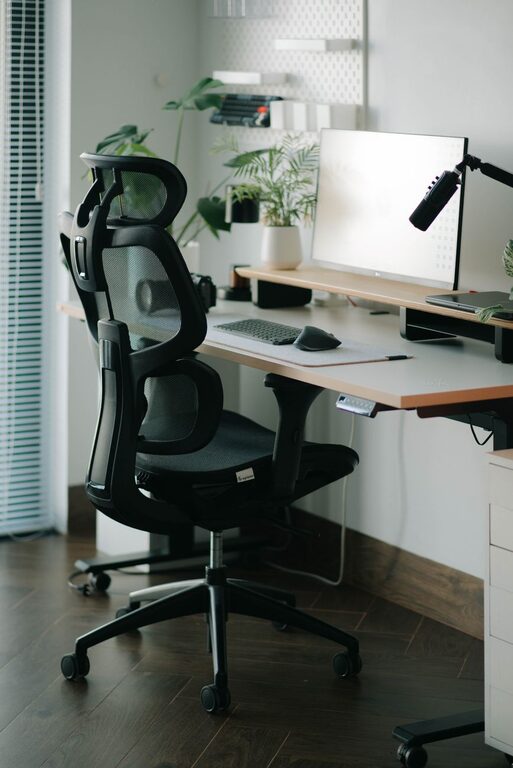
Creating a desk setup that promotes both focus and comfort is key to a productive workday, whether you’re working from home or in an office. A well-designed workspace helps reduce distractions, prevent physical strain, and improve overall efficiency. In this post, we’ll explore practical tips to help you optimize your desk setup for better concentration and comfort.
Why Your Desk Setup Matters
Your desk setup plays a significant role in how you work. An organized, ergonomic workspace not only supports your body but also helps your mind stay focused. Poor posture or clutter can lead to discomfort and distractions, which may decrease productivity over time.
Choosing the Right Desk
Start with a desk that fits your space and meets your needs.
– Size and surface: Choose a desk large enough to hold your computer, keyboard, notepad, and other essentials without feeling cramped.
– Height: Your desk height should allow your arms to rest comfortably at about a 90-degree angle when typing.
– Adjustable options: Consider a height-adjustable desk or a sit-stand desk to alternate positions throughout the day, which can reduce fatigue.
Selecting a Comfortable Chair
Your chair supports your posture and comfort for hours on end.
– Ergonomic design: Look for chairs with adjustable height, lumbar support, and armrests.
– Proper cushion: A well-padded seat prevents discomfort.
– Movement: Chairs with swivel and wheels encourage easy movement without unnecessary strain.
Positioning Your Monitor for Eye Comfort
Screen placement affects eye strain and neck comfort.
– Eye level: The top of your monitor screen should be at or just below eye level.
– Distance: Position the screen about an arm’s length away to reduce eye strain.
– Multiple screens: If you use more than one monitor, align them at the same height and angle to avoid twisting your neck.
Keyboard and Mouse Placement
Proper placement can prevent wrist and shoulder pain.
– Keyboard: Place it directly in front of you, allowing your elbows to stay close to your body.
– Mouse: Keep the mouse near the keyboard at the same height to avoid stretching.
– Wrist support: Consider wrist rests or ergonomic keyboards to maintain a neutral wrist position.
Organizing Your Desk
A clutter-free desk helps maintain mental clarity.
– Essential items only: Keep frequently used items within reach, and store away non-essentials.
– Cable management: Use clips or cable organizers to avoid tangled cords.
– Storage solutions: Use drawers, trays, or desktop organizers to keep papers and supplies tidy.
Lighting for Focus and Comfort
Good lighting reduces eye strain and sets the mood for productivity.
– Natural light: Position your desk near windows when possible, but avoid glare on your screen.
– Task lighting: Use adjustable desk lamps to brighten your workspace as needed.
– Avoid harsh lighting: Soft, evenly distributed lighting is more comfortable than bright overhead lights.
Personal Touches that Boost Motivation
Adding some personality to your desk can make work more enjoyable.
– Plants: Small potted plants can improve air quality and add a calming touch.
– Photos or artwork: Display images that inspire and motivate you.
– Comfort items: Keep a cozy blanket or a small fan nearby for extra comfort.
Taking Breaks to Maintain Focus
No desk setup can replace the benefits of regular breaks.
– Pomodoro technique: Work for 25 minutes, then take a 5-minute break.
– Stretching: Stand up, stretch, or walk around to reduce muscle tension.
– Eye exercises: Look away from the screen every 20 minutes to rest your eyes.
Keeping Your Desk Setup Flexible
Your needs may change throughout the day or week.
– Adjustable furniture: Use chairs and desks that can be easily adjusted to different heights or configurations.
– Mobile accessories: Items like rolling carts or portable monitor stands add flexibility.
– Regular reassessment: Periodically evaluate your setup to make improvements.
Conclusion
A focused and comfortable desk setup is a foundation for productive, enjoyable work. By choosing ergonomic furniture, organizing your space, optimizing lighting, and adding personal touches, you can create an environment that supports your best work. Remember to listen to your body and adjust your setup as needed to maintain comfort throughout your day.
Start making small changes today and notice the difference in how you feel and work at your desk!